Gadgets
Gadgets are interactive objects you can seamlessly embed in your documents to facilitate provided instructions, enhance user interactions, and collect user-generated data.
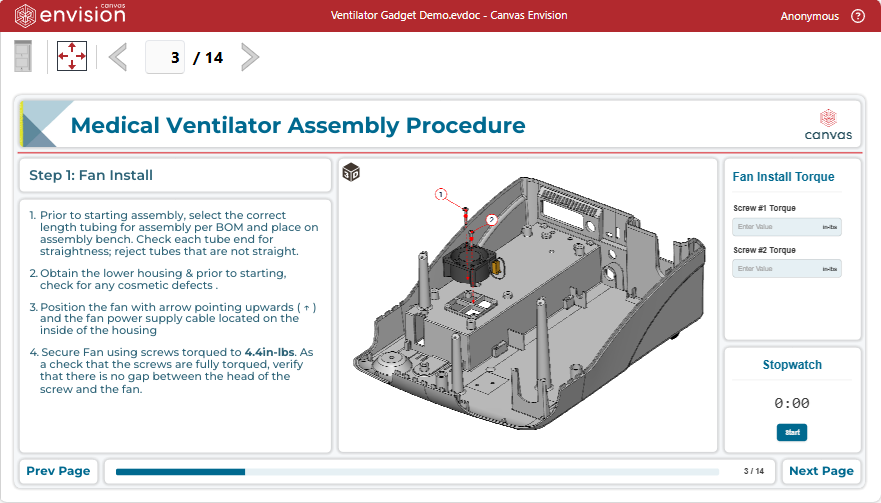
With the Canvas Envision Creator, you can manage gadgets in Envision documents as follows:
You can also apply any standard object procedures to gadgets, such as moving them on the page, aligning them with other objects, deleting them, etc.
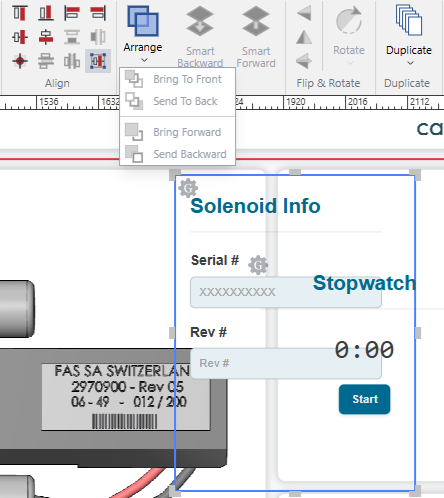
However, gadgets are always above other objects on the page. The vertical positions of gadgets are fixed. You cannot move gadgets across layers on the page and change their stack positions among them. The Arrange pane on the Home ribbon tab is frozen for gadgets.
There are the following gadget types:
Action button: to raise pop-up confirmation dialogs.
Countdown timer: to display remaining time.
Data capture: to obtain input from document users.
Login: to identify document sessions.
Part list: to explore parts included in 3D models.
Progress bar: to display document progress.
Stopwatch: to measure and display elapsed time.
Table of contents: to facilitate navigation in documents.
Image gallery: to explore and view series of images