Viewing and Querying User-entered Data
- Gadget
A 2D object in an Envision document that provides a document user with a set of interaction capabilities specific to its gadget type, such as submitting data into the system, confirming actions, measuring time, and so on.
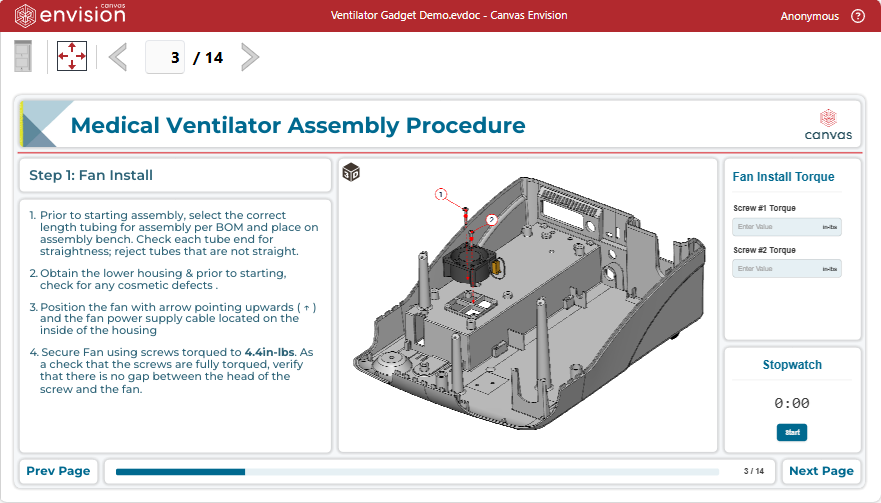
- Data capture gadget
An interactive form for a document user in an Envision document to record numeric and textual data from job activities, such as part numbers, serial numbers, actual dimensions, metrics, etc., into the application database.
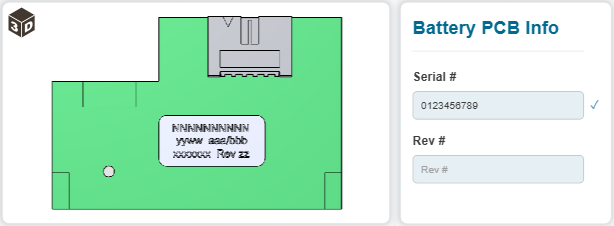
- Login gadget
An interactive form for a document user in an Envision document to initiate an identified document viewing session to record data for a particular case, asset, assignment, job, operation, etc., such as a work order, ticket, serial-number-controlled equipment, report, and so on.
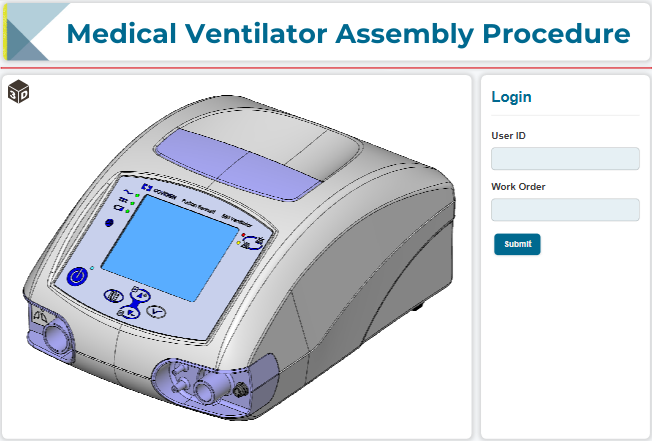
An Envision document can include one or more data capture gadgets, each containing one or more data capture fields. A document user enters the required information into these fields. If the document also includes a login gadget, the user must provide credentials in such a gadget before viewing the document and submitting data in the data capture fields. The system records the information that the user entered in a data capture field into the database, along with the credentials provided in the login gadget, as a gadget data record.
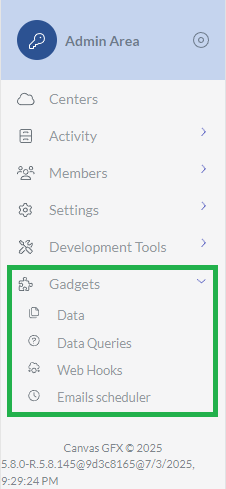 | The Gadgets category of the Admin Area provides you with tools to view and query gadget data records stored in the database. This category includes the following pages:
|
|---|