Table of Contents Gadgets in Envision Viewer
- A table of contents (TOC) gadget
An interactive object that lists pages included in a document and provides you with navigation to them.
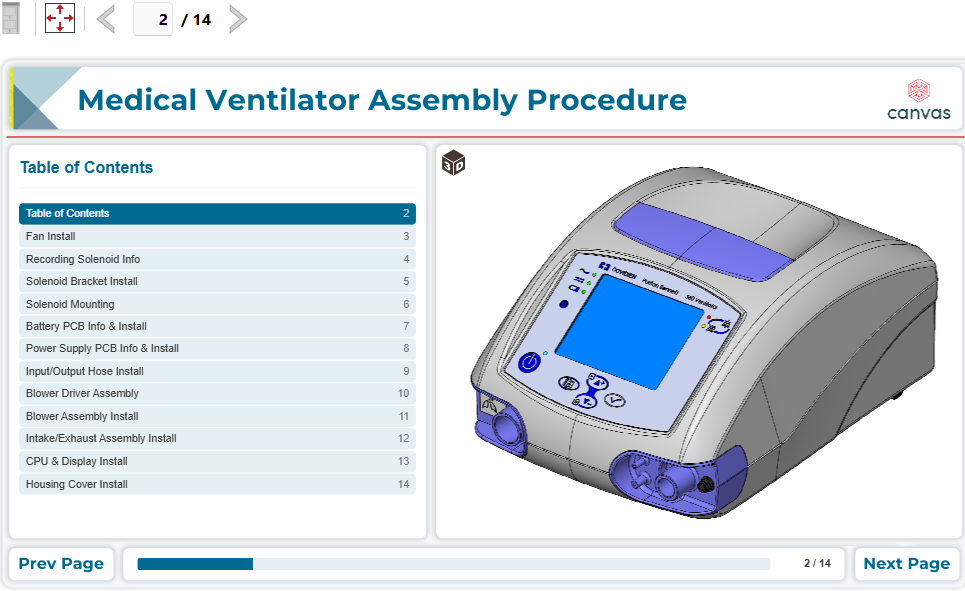
To interact with TOC gadgets when viewing Envision documents, you should know the following about them:
Table of contents gadget UI and behavior
A TOC gadget consists of the following interactive UI elements:
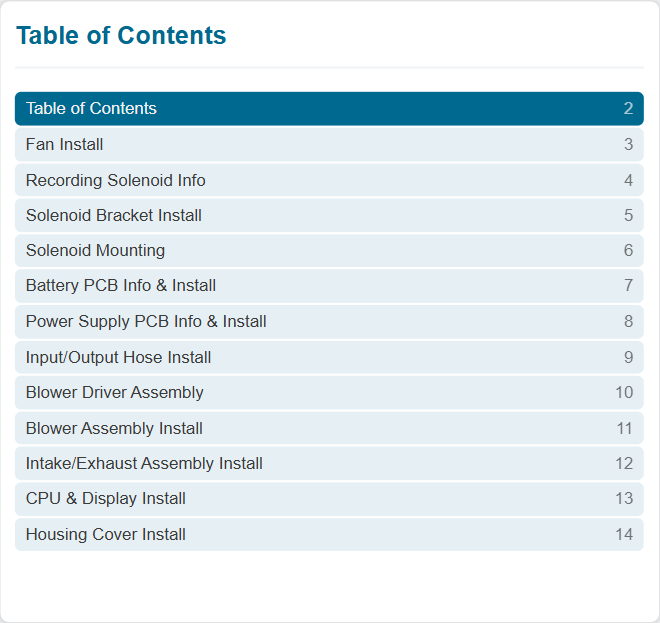
Title: a static label that displays the name of the TOC gadget.
Table: pages included in the document. It consists of rows and columns. A row is a page. A column is a property of the page.
Both elements are always present in the table.
The table of pages includes the following columns:
Page name. It is always present in the table.
Page number. It is optional: a document author manages its visibility.
The document author writes the TOC gadget title and page names and manages the page from which the TOC gadget includes the pages.
Navigating pages with table of contents gadgets
To go to a page listed in a TOC gadget:
Click the page row in the TOC gadget table.